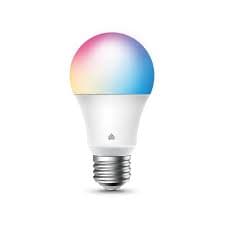
$10 – $20
Full color smart bulb with 16 million colors. 800 lumens, dimmable, works with Alexa and Google. No hub required.
You want quick color temperature presets
One-touch shortcuts for color temperature - easy switching between warm and daylight
You use Alexa or Google Assistant
Works with both voice ecosystems, no hub required - direct WiFi connection
You want Auto-White sun simulation
Simulates natural sunlight throughout the day - unique circadian feature at budget price
You want affordable color bulb with deep scheduling
Most affordable color bulb in Kasa lineup with impressive scheduling options
You use Apple HomeKit
No HomeKit support - Kasa only works with Alexa and Google
You have dimmer switches installed
Not compatible with dimmer fixtures - needs regular on/off switch
You want bright green colors
Some colors like green not bright enough for daytime room lighting
You need group scheduling
Can schedule individual bulbs but not bulb groups - annoying limitation
Lengthy WiFi setup process - can be frustrating compared to competitors
Android AuthoritySome colors (especially green) not bright enough for daytime use
PCWorldCannot schedule bulb groups - must set each bulb individually
PCWorldNo group scheduling
commonCause: App limitation - can only schedule individual bulbs, not groups
Some colors not bright enough
commonCause: Green and some other colors dim compared to white modes
Installing on dimmer switch
Bulb won't work properly - not compatible with dimmers
Tip: Use regular on/off switch only - control dimming via app
Using 5GHz WiFi network
Bulb won't connect - only 2.4GHz supported
Tip: Ensure router has 2.4GHz network available
All smart features - app control, voice commands, scheduling, colors
Physical switch only - no smart features without internet
Kasa app collects usage data - commands routed through TP-Link cloud
Nanoleaf Essentials A19
If: Need HomeKit support
Wyze Bulb Color
If: Want similar budget option with different app
LIFX Mini
If: Need HomeKit and better color brightness
You want affordable Kasa color bulb
Most affordable color in Kasa lineup - deep scheduling and Auto-White are nice features
You use Apple HomeKit
No HomeKit support - get Nanoleaf or LIFX instead
You have dimmer switches
Incompatible with dimmers - need to replace with regular switch
800 lumens (60W equivalent) with tunable white from 2500K-6500K. White modes are bright, but some colors (especially green) are dimmer.
Source: TechHiveNo, you can only schedule individual bulbs, not groups. This is a known limitation of the Kasa app.
Source: PCWorldNot compatible with photosensors, motion sensors, or external timers
TechHiveNo HomeKit support
widespreadCause: Kasa ecosystem doesn't include Apple certification
Long WiFi setup process
commonCause: Connection process more tedious than some competitors
Expecting to schedule bulb groups
Only individual bulb scheduling available
Tip: Plan to set schedules for each bulb separately
Using with motion sensors or timers
Not compatible - bulb won't respond correctly
Tip: Use app or voice for automation instead of external devices
Cloud-dependent - all controls go through TP-Link servers
You want bright colored lighting
White modes excellent, but some colors (green) are dim - test expectations
Auto-White simulates natural sunlight throughout the day, automatically adjusting color temperature from warm to cool and back based on time.
No, the KL125 is not compatible with dimmer fixtures. Use a regular on/off switch and control brightness through the app or voice.
Source: TechHiveNo, Kasa bulbs don't support HomeKit. They work with Amazon Alexa and Google Assistant only.
Source: Android Authority