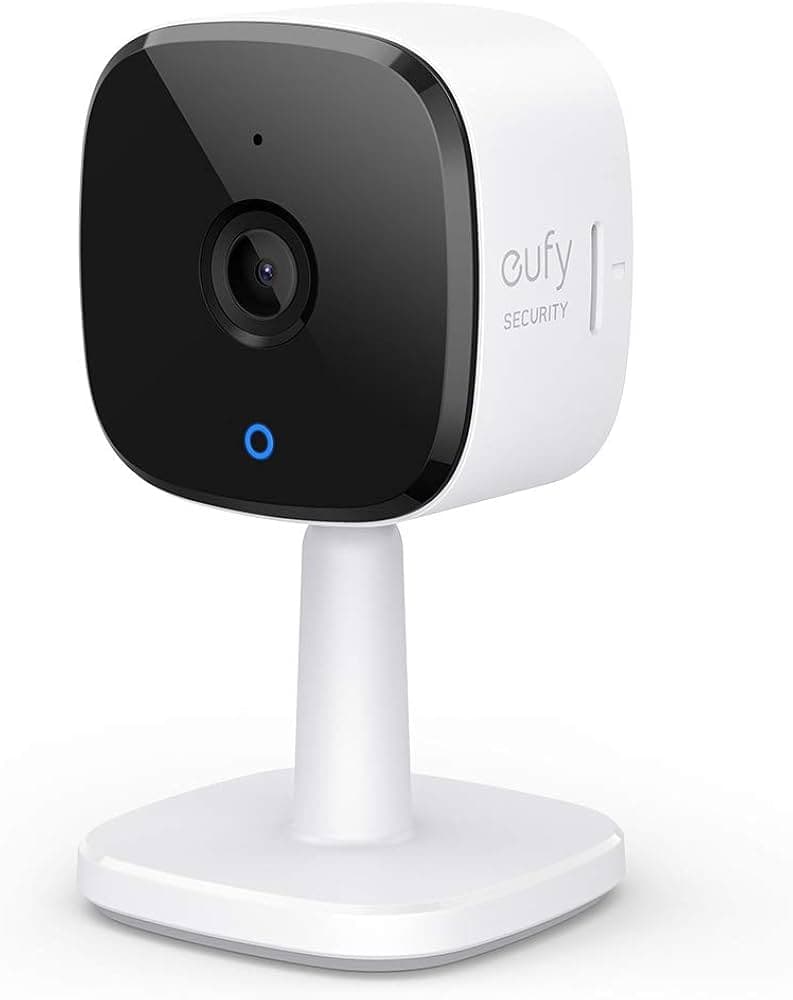
$25 – $40
Budget 2K indoor camera with on-device AI for person/pet detection. Local storage via microSD. Works with Alexa, Google, and HomeKit.
Baby or pet monitoring
AI trained to detect baby crying sounds, plus person and pet detection
Budget under $50
Best value at ~$43 with 2K resolution and AI features included free
Apple HomeKit user
Native HomeKit support rare at this price - also works with Alexa and Google
Want subscription-free security
All features free - 2K video, AI detection, activity zones, local storage with no monthly fees
Need full 2K with HomeKit/RTSP
Enabling HomeKit or RTSP drops stream to compressed lower quality - not true 2K
Want to avoid cloud account entirely
Setup requires Eufy app and account creation - cant skip initial cloud connection
Need outdoor use
Indoor only - not weatherproof. Consider Eufy SoloCam for outdoor.
Heavy HomeKit reliance
HomeKit integration can show "not responding" while Eufy app works fine
Camera shows "not responding" in Home app while working in Eufy app
Apple Community2K stream disabled when HomeKit enabled - get compressed lower quality instead
Eufy CommunityWiFi disconnections and delayed live video streaming
Eufy CommunitySetup can timeout during network configuration or cause internet disruptions
Eufy CommunityHomeKit stream quality much worse than native Eufy app stream
commonCause: HomeKit Secure Video requires transcoding that reduces quality
Required account creation raises privacy concerns
commonCause: Eufy app requires cloud account even for local-only use
WiFi connectivity issues and disconnections
commonCause: 2.4GHz only and sensitive to network congestion
Night vision sometimes fails requiring power cycle
rareCause: IR LED or firmware glitch
Expecting 2K quality with HomeKit Secure Video
Stream is compressed and lower quality than Eufy app native view
Tip: Use Eufy app for best quality, or accept lower HomeKit quality for convenience
Trying to skip Eufy account creation
Cannot complete setup without creating account and connecting to Eufy servers
Tip: Accept account requirement - can use local storage after initial setup
Connecting to 5GHz WiFi network
Camera only supports 2.4GHz - will not connect
Tip: Ensure phone is on 2.4GHz network during setup
Initial setup and account creation, remote access outside home, some AI features
Local recording to microSD, local network live view, HomeKit Secure Video (encrypted)
Account info, motion events metadata. Video stays local with microSD. HomeKit Secure Video is end-to-end encrypted.
Eufy had 2022 security incident where unencrypted video thumbnails were accessible. Requires account despite local storage option.
Tested with up to 10 devices
Local storage via microSD supports continuous recording. 2K video uses significant bandwidth for multiple cameras. HomeKit limits may apply with many cameras.
2.4GHz only can cause congestion. HomeKit stream quality lower than native. Each camera needs Eufy app login.
Wyze Cam v3
If: Want cheapest option
Arlo Essential Indoor
If: Want automated privacy shutter
Eufy Indoor Cam Pan & Tilt
If: Need larger area coverage
Want 2K without subscription
Best value - 2K, AI detection, and local storage all free at $43
Need HomeKit with quality video
Rare HomeKit support at this price, though stream quality is reduced vs native app
Privacy purist avoiding all cloud
Requires Eufy account for setup - consider Wyze with local-only firmware
Need outdoor camera
Indoor only - consider Eufy SoloCam or EufyCam for outdoor use
Yes, RTSP available but reduces stream quality. Not full 2K when RTSP enabled.
Source: Eufy CommunityFixed camera vs 360° rotation. Pan & Tilt is ~$10 more and covers larger areas with motion tracking.
Source: Product ComparisonInitial setup requires Eufy account. After setup, can use local storage only, but account still exists.
Source: Eufy CommunityYes, native HomeKit support. Note: HomeKit stream is lower quality than Eufy app due to transcoding.
Source: Product SpecsNo subscription required. 2K video, AI detection, activity zones, and local storage all included free.
Source: Eufy Support