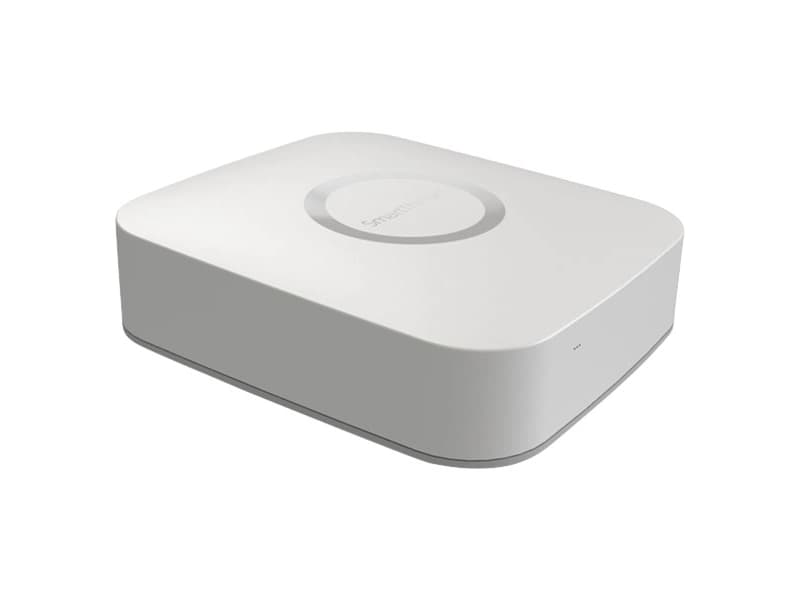
$49.99 – $69.99
Central smart home hub supporting Zigbee, Z-Wave, and Matter protocols with SmartThings ecosystem.
You need both Z-Wave and Zigbee support
Built-in radios for both protocols eliminate need for separate bridges or adapters
You are a beginner to smart home
User-friendly app interface and strong Samsung ecosystem integration make it accessible for newcomers
You want comprehensive automation capabilities
Powerful SmartThings app with wide range of scenarios, routines, and SmartApps for complex automations
You have mixed-brand smart home devices
Supports over 300 brands and 5000+ devices with Z-Wave, Zigbee, and WiFi protocols in one hub
You need fully local control without internet
Most automations require cloud - only Smart Home Monitor and Smart Lights work locally
You use Nest thermostats
Nest thermostats and Canary cameras are not compatible with SmartThings
You prioritize data privacy and security
Hub has had security vulnerabilities discovered - 20 vulnerabilities found by Cisco Talos researchers
You want to buy new first-party hardware
Samsung no longer makes SmartThings Hub - must buy Aeotec partner hardware instead
Devices randomly show as disconnected or unavailable despite working moments earlier
SmartThings CommunityAutomation rules sometimes do not trigger unless retried multiple times
SmartThings CommunityHub drops connections when new devices are added due to improperly routed Z-Wave network
iFixitAlexa and Google Home report "no connection" intermittently even when devices are responsive
Customer reviewsIntermittent connectivity and device ghosting
commonCause: Network routing issues and cloud dependency cause random offline status for devices
Complex setup for non-SmartThings branded devices
commonCause: Many devices require bridges or additional configuration - not plug-and-play for third-party hardware
Hub and app described as buggy and unpredictable
occasionalCause: Firmware instability and automatic restarts requiring manual reconfiguration
Limited control options - app only
widespreadCause: No web interface or local network access - cannot manage hub without smartphone app
Adding Z-Wave devices still paired to previous hub
Device will not pair until properly excluded from old network
Tip: Run Z-Wave exclusion (general exclusion) first on the device before attempting to add it to SmartThings.
Pairing Zigbee devices too far from hub
Pairing fails or device falls asleep during scanning
Tip: Pair Zigbee devices within 1-3 feet of hub. Keep device awake during scanning and reduce 2.4GHz interference.
Placing hub directly on top of WiFi router
Interference causes connectivity issues with Zigbee devices (both use 2.4GHz)
Tip: Place hub centrally in home, away from router. Expect 50ft indoor range for Zigbee, 100ft for Z-Wave.
All device control via app, most automations, voice control, remote access, and device status monitoring
Only Smart Home Monitor and Smart Lights SmartApps can run locally. No app control offline.
Collects account info, app usage, device interactions, and configurations. If video/audio devices connected, Samsung may obtain recordings and streams.
Cisco Talos discovered 20 security vulnerabilities that could allow attackers to unlock smart locks, spy via cameras, and control thermostats. Samsung claims all hubs are auto-updated but historical breaches have occurred.
Tested with up to 200 devices
Users report performance degradation approaching 200 devices. Hub supports 32 direct Zigbee connections but can expand with routing devices. Z-Wave network repair may be needed as devices are added.
Only one SmartThings hub per location supported. Hub range is about 50ft for Zigbee and 100ft for Z-Wave depending on home construction. Multiple hubs cannot communicate with each other.
Hubitat Elevation
If: Need fully local control without cloud dependency
Home Assistant
If: Want maximum customization and local control
Aeotec Smart Home Hub
If: Cannot find original Samsung SmartThings Hub
You are building a mixed-brand smart home
Broad compatibility with 300+ brands and multiple protocols makes it ideal for diverse device ecosystems
You need reliable local control
Cloud dependency means internet outages disable most functionality - consider Hubitat or Home Assistant instead
You want easy beginner-friendly setup
User-friendly app and strong ecosystem integration make it more accessible than technical alternatives
You prioritize security and privacy
History of security vulnerabilities and extensive data collection raise concerns for privacy-conscious users
No. Nest thermostats and Canary cameras are notably incompatible with SmartThings Hub. If you rely on these devices, SmartThings is not the right choice.
Source: Multiple reviewsThe hub supports 32 direct Zigbee connections but can expand with routing devices. Users report performance issues approaching 200 total devices.
Source: SmartThings CommunityThe Hub V3 supports Zigbee, Z-Wave, WiFi, and now Matter/Thread. It has built-in radios for both Zigbee and Z-Wave, eliminating the need for separate bridges.
Source: SamsungVery limited functionality. Only Smart Home Monitor and Smart Lights SmartApps can run locally. All app control, most automations, and device status monitoring require internet.
Source: SmartThings CommunityYes, Samsung no longer manufactures the SmartThings Hub directly. The Aeotec Smart Home Hub is the official partner product that provides the same functionality with Z-Wave, Zigbee, and Thread support.
Source: Samsung