$10 – $15
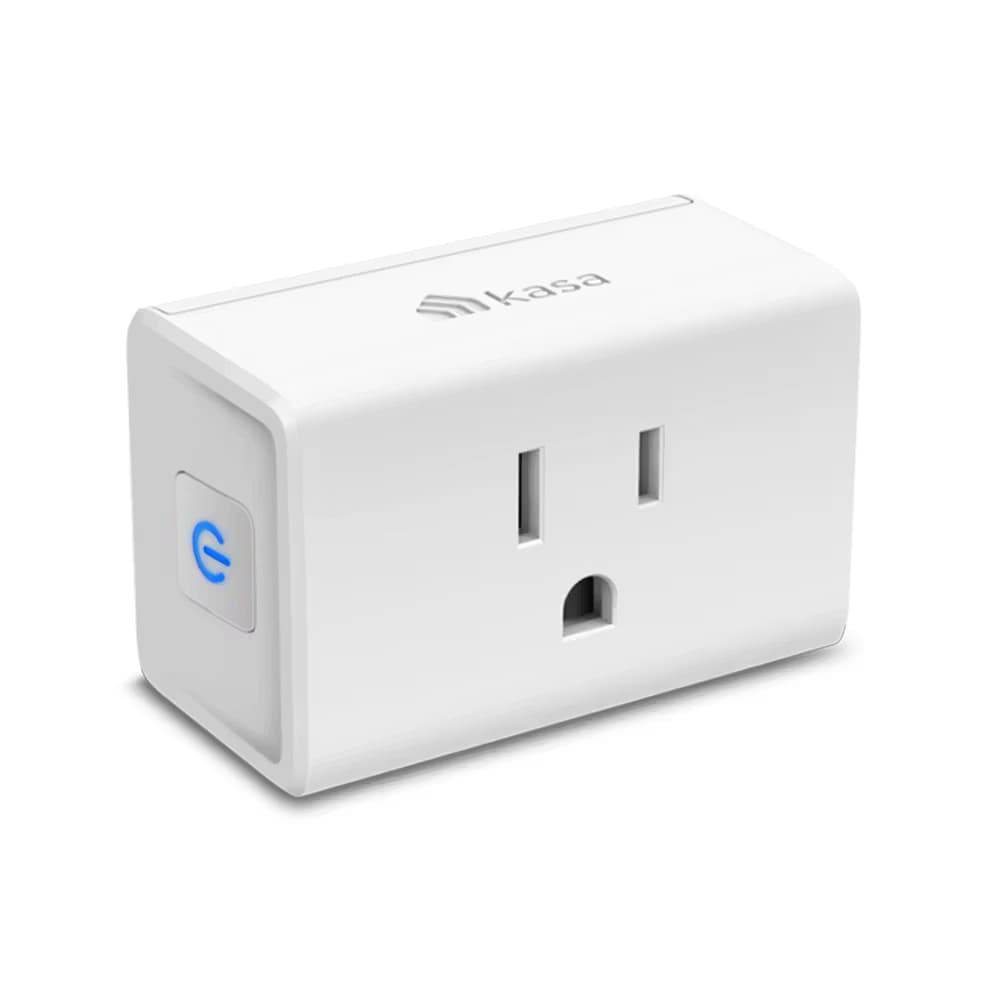
Slim smart plug with energy monitoring and Apple HomeKit support. Tracks power consumption via Kasa app. Works with all major platforms except Matter.
You want sunrise/sunset automation
Unique time-based scheduling tied to actual sunrise/sunset in your location
You use multiple ecosystems (Apple, Alexa, Google)
Works natively with HomeKit, Alexa, Google Assistant, and SmartThings - true multi-platform support
You're an entry-level smart home user or renter
Compact design, extensive voice assistant support, and budget-friendly at $20/unit or $50/4-pack
You want energy monitoring with HomeKit support
Best value smart plug with both real-time power tracking AND native Apple HomeKit/Siri control
You need seamless Home Assistant integration
Initially not supported by python-kasa - discovery issues reported, requires cloud authentication
You want to avoid cloud authentication entirely
Newer firmware requires TP-Link cloud credentials even for local control - cannot be fully local-only
You need precision energy measurements
Energy monitoring is 'good enough for household use' but not hyper-precise for scientific accuracy
You need Matter support
No Matter protocol - consider Kasa KP125M or Tapo P125M for Matter compatibility
Setup through Home app tries to connect to 5GHz WiFi - must use Kasa app first, then add to HomeKit
TP-Link CommunityDevices show 'not responding' in Home app less than a day after setup - persists even after factory reset
TP-Link CommunityEP25 not initially on python-kasa supported list - integration returns 'No devices found on network'
GitHub DiscussionsWon't connect to Alexa out of the box even though Kasa app can see them
User ReportsSharing devices with other family members not supported in Kasa app
commonCause: App limitation - no multi-user sharing feature for smart plugs
Plug protrudes nearly 4cm (1.6 inches) from wall
commonCause: Design trade-off for internal components - may need extension cord to hide behind furniture
App crashes during factory reset process
rareCause: Software bug in Kasa app - usually recovers on retry
Schedules occasionally don't activate as planned
rareCause: Intermittent app/cloud sync issues
Setting up via Apple Home app instead of Kasa app first
Setup fails or connects to wrong WiFi band - HomeKit integration breaks
Tip: ALWAYS complete initial setup in Kasa app first, then scan HomeKit QR code during that process
Router using WPA3-only encryption
Device cannot connect to WiFi network
Tip: Change router encryption to Auto or WPA2/WPA3 mixed mode
Having VPN enabled on phone during HomeKit setup
HomeKit accessory fails to add properly
Tip: Disable VPN on your iPhone/iPad before adding any HomeKit accessories
Not exiting FFS (First-time Factory Setup) mode before HomeKit config
Setup loops or fails repeatedly
Tip: Hold power button for 5 seconds to exit FFS mode, wait 15 minutes after power-up before setup
Initial setup requires TP-Link cloud authentication with username/password
After initial auth, local control works via HomeKit and Home Assistant without internet
TP-Link collects account info and usage data through Kasa app
Newer firmware versions increasingly require cloud credentials even for older devices - no fully local-only option
Kasa EP10
If: Don't need energy monitoring and want cheaper option
Kasa KP125M
If: Need Matter protocol support
Eve Energy
If: Want Thread/Matter without cloud dependency
You want HomeKit-compatible energy monitoring
Best value combination of HomeKit support + real-time energy tracking at $20/plug
You only use Alexa/Google and don't need energy monitoring
Get EP10 instead and save $10 per plug - same voice control without power tracking
You need precise scientific energy measurements
Good for household estimates but not accurate enough for research - consider dedicated energy monitor
You use multiple voice platforms (Siri, Alexa, Google)
Works natively with all major ecosystems - rare true multi-platform plug
They're basically identical except for retail channels. The KP125M variant adds Matter protocol support. Get whichever is cheaper unless you specifically need Matter.
Source: TP-Link CommunityYes, the slim compact design allows stacking two plugs on a standard duplex outlet without blocking either socket.
Source: Product SpecificationsYes, but with caveats. Initially had discovery issues. Requires TP-Link cloud credentials for authentication, but actual control happens locally after initial setup.
Source: Home Assistant CommunityGood enough for household use - shows real-time and historical power consumption in watts and kilowatt-hours. Not hyper-precise for scientific measurements but fine for estimating energy bills.
Source: Expert ReviewsYes, native HomeKit support with Siri voice control. Setup must be done through the Kasa app first - it will prompt you to scan the HomeKit QR code during initial configuration.
Source: TP-Link Product Page