$139.99 – $199.99
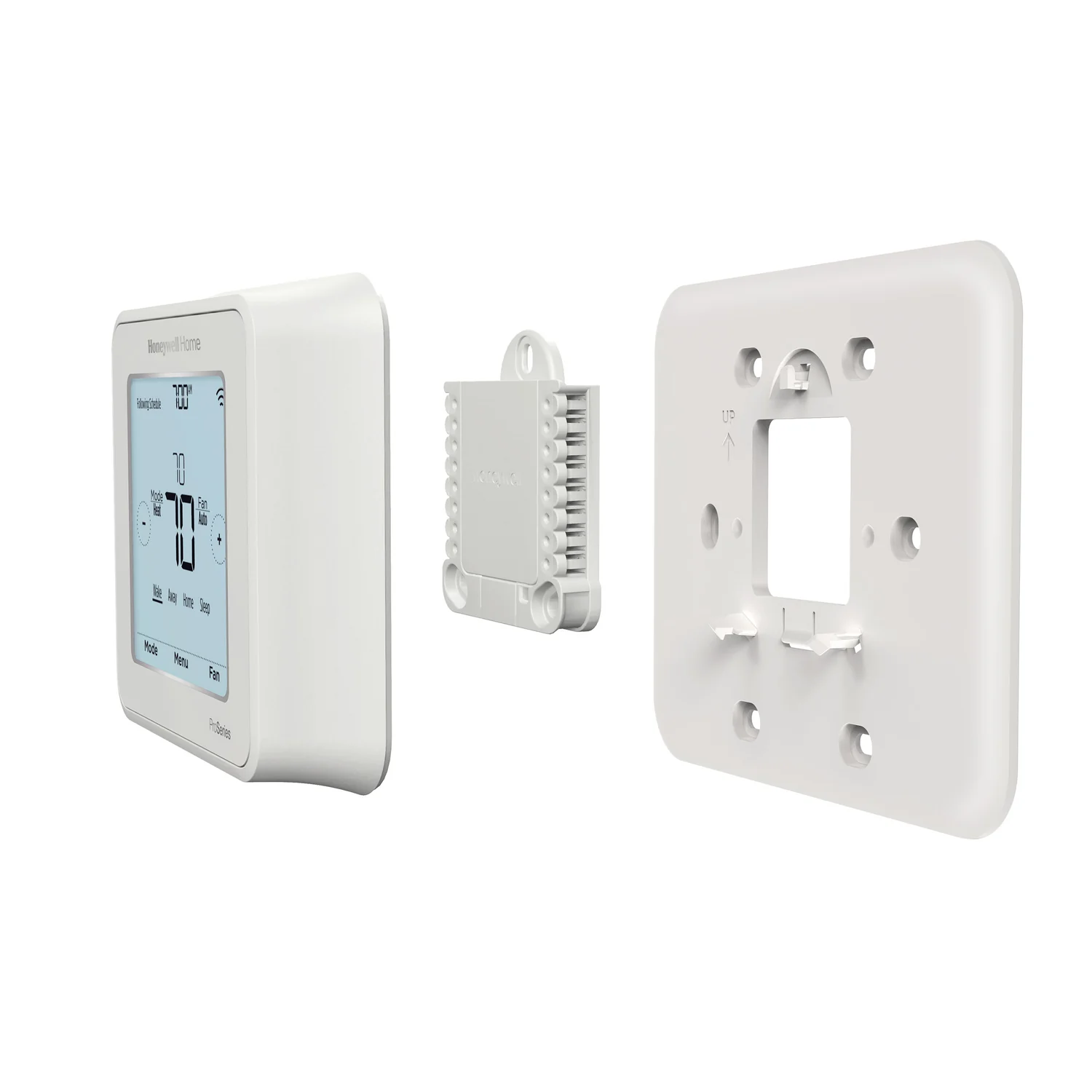
Pro-grade WiFi smart thermostat with 3.5" touchscreen, HomeKit support, and compatibility with up to 3H/2C heat pump systems. Energy Star certified.
You want Z-Wave integration for local smart home control
Z-Wave version integrates with SmartThings, Hubitat, and other Z-Wave hubs. Works locally without cloud dependency.
You prefer straightforward programmable schedules
Classic 7-day programming with time-based schedules. No complex learning algorithms - you set it and it follows.
You have a multi-stage HVAC system (up to 3H/2C)
Supports conventional, heat pump, and multi-stage systems. Works with 95% of heating and cooling systems in America.
You want Apple HomeKit support at a budget price
T6 Pro WiFi is one of the most affordable HomeKit-compatible smart thermostats. Works with Siri, Apple Home app, and HomeKit automations.
You have electric baseboard heating
T6 Pro is not compatible with electric baseboard heating systems. This is a hard limitation of the thermostat.
You want room sensors for multi-zone comfort
T6 Pro does not support remote room sensors. Upgrade to T9 if you need temperature monitoring in multiple rooms.
You want both geofencing AND custom schedules simultaneously
T6 Pro forces a choice between geofencing or time-based schedules. Cannot use both features at the same time.
Frequent "unavailable" status in Home app. Often requires thermostat reset (Menu > Reset > HomeKit > Yes) to reconnect.
Apple Community/Home AssistantZ-Wave version automation routines may not work correctly. Manual control works but scheduled automations fail to trigger.
SmartThings CommunityAndroid app sync failures are common. Many users report thermostat not connecting to Resideo app despite working WiFi.
Amazon reviewsReports of bad manufacturing batch with serial number range causing heat pump control failures. Check serial number if purchasing.
HVAC-Talk ForumsResideo app unreliable - frequent sync failures and offline errors
widespreadCause: App quality issues and cloud connectivity problems
Electric bills increased 30% after installation for some users
occasionalCause: No ability to vary furnace blower fan speed like older thermostats
Erratic temperature display and continuous fan running
occasionalCause: Wiring conflicts or sensor interference, especially after adding UV lamps
Complex setup process requiring patience and multiple attempts
commonCause: WiFi connection errors even with strong signal strength
Thermostat stuck on setup screen or blank display after power outages
occasionalCause: Weak or missing C-wire causing power issues
Jumpering Rc and Rh terminals when using 24VAC adapter
Causes continuous heat operation - furnace runs constantly
Tip: When using C-wire adapter, connect to Rc and C only. Do not jumper Rc and Rh. Adapter powers thermostat only, not furnace.
Trying to add to HomeKit before removing from Honeywell app
Invalid HomeKit code error - pairing fails repeatedly
Tip: Remove device from Honeywell app first. Reset HomeKit on thermostat (Menu > Reset > HomeKit > Yes). Then pair fresh.
Using 5GHz WiFi network during setup
Connection errors and "thermostat not found" messages
Tip: T6 Pro only supports 2.4GHz WiFi. Ensure your phone is on 2.4GHz network during setup process.
Remote app control via Resideo app, geofencing, firmware updates, HomeKit pairing (initial setup)
Manual touchscreen control, programmed schedules, basic heating/cooling operation. Z-Wave version works fully local with compatible hub.
Location data for geofencing, HVAC runtime history, temperature settings
Resideo privacy policy allows sharing personal information with third parties for marketing. Geofencing tracks phone location via WiFi and GPS.
Single thermostat per HVAC zone. No room sensor support - reads temperature at thermostat location only. For multi-zone homes, need separate T6 Pro per zone.
Cannot add remote room sensors. For multi-room temperature monitoring, upgrade to T9 or T10 Pro which support up to 20 sensors.
Honeywell Home T9
If: Need room sensors for multi-zone temperature control
Ecobee Smart Thermostat
If: Want more reliable HomeKit integration with built-in Alexa
Nest Learning Thermostat
If: Want automatic learning without manual programming
You want the cheapest HomeKit thermostat
T6 Pro WiFi is often under $130 - cheapest way to get HomeKit-compatible smart thermostat. Good value if HomeKit is priority.
You rely heavily on the mobile app for control
Resideo app has widespread reliability issues especially on Android. If remote app control is critical, consider Ecobee or Nest instead.
You have Z-Wave smart home hub (SmartThings, Hubitat)
Z-Wave version offers local control without cloud. Great for privacy-focused users with existing Z-Wave infrastructure.
You want seamless multi-room temperature balancing
No room sensor support limits comfort optimization. Spend more on T9 or Ecobee for true multi-room control.
No, the T6 Pro requires choosing one or the other. You cannot run time-based schedules while geofencing is active. This is a firmware limitation.
Source: User ReviewsCommon causes: weak WiFi signal, 5GHz network interference, router UPnP disabled. Try: move closer to router, use 2.4GHz only, enable UPnP, or reset thermostat WiFi settings.
Source: Support ForumsT9 is more modern with a sleek rectangular design and supports up to 20 remote room sensors. T6 Pro has a square design and no room sensor support. T9 is better for multi-room comfort.
Source: Honeywell ComparisonThe WiFi version requires a C-wire for power. The programmable-only version can work without C-wire in some configurations. Check wiring compatibility before purchase.
Source: Installation GuideOnly the WiFi version (TH6220WF) supports HomeKit. The programmable-only (TH6210U) and Z-Wave versions do not have HomeKit support. Make sure to buy the WiFi model for Apple ecosystem.
Source: Honeywell Home